Configuration and integrations
Keep runtime values in the application's untracked deploy/.env with restricted file permissions. Use deploy/.env.example as the current field list; do not copy credentials from screenshots or documentation.
Required deployment settings
| Setting | Purpose |
|---|---|
NGINX_SERVER_NAME | Public hostname |
APP_URL | Canonical externally reachable origin |
DATABASE_PROVIDER | pocketbase |
POCKETBASE_SUPERUSER_EMAIL, POCKETBASE_SUPERUSER_PASSWORD | Server-only database access |
CE_SESSION_SECRET | Session signing and encryption-dependent features |
CE_ACCESS_CODE_SECRET | Encryption of ID/PIN credentials |
NEXT_PUBLIC_API_URI | Normally /api; embedded at image build |
Compose connects the application to PocketBase internally. Never put a superuser password in a NEXT_PUBLIC_ variable.
Generate independent random secrets on the host, for example with openssl rand -base64 48. Protect and back them up separately. Changing CE_ACCESS_CODE_SECRET makes stored PINs unusable. Replacing CE_SESSION_SECRET invalidates sessions and can make encrypted local OTP and classroom display secrets unreadable; it is not a routine logout control.
Email
Configure SMTP_HOST, SMTP_PORT, SMTP_USER, SMTP_PASSWORD, and SMTP_FROM as required by your provider. SMTP_ENCRYPTION supports implicit TLS, STARTTLS, or no encryption; prefer encrypted transport and do not disable verification to conceal a certificate problem.
After deployment, open Administration > Settings > Email / SMTP for diagnostics. Test registration verification and password recovery with a synthetic account and the real public origin.
Optional services
- AI patient conversations: configure
OPENAI_API_KEYandOPENAI_MODEL; voice-related functionality also usesOPENAI_MODEL_AUDIO. Review data processing, provider availability, and cost before enabling it. - Object/file storage: configure the documented
CLOUDFLARE_*fields only for workflows using that integration. Protected PocketBase uploads remain part of database/file backups. - LTI: signing keys and the outcome-worker secret belong to the LTI setup.
Do not imply that every installation has AI, voice, or every medical specialty configured. The available scenarios and controls also depend on published content.
Settings managed in the panel
Administration > Settings groups registration/access defaults, legal text, seminar-display access, and email diagnostics. Registration domain restrictions and the registration switch affect new local signups; disabling signup does not disable existing accounts, ID/PIN, recovery, or LTI.
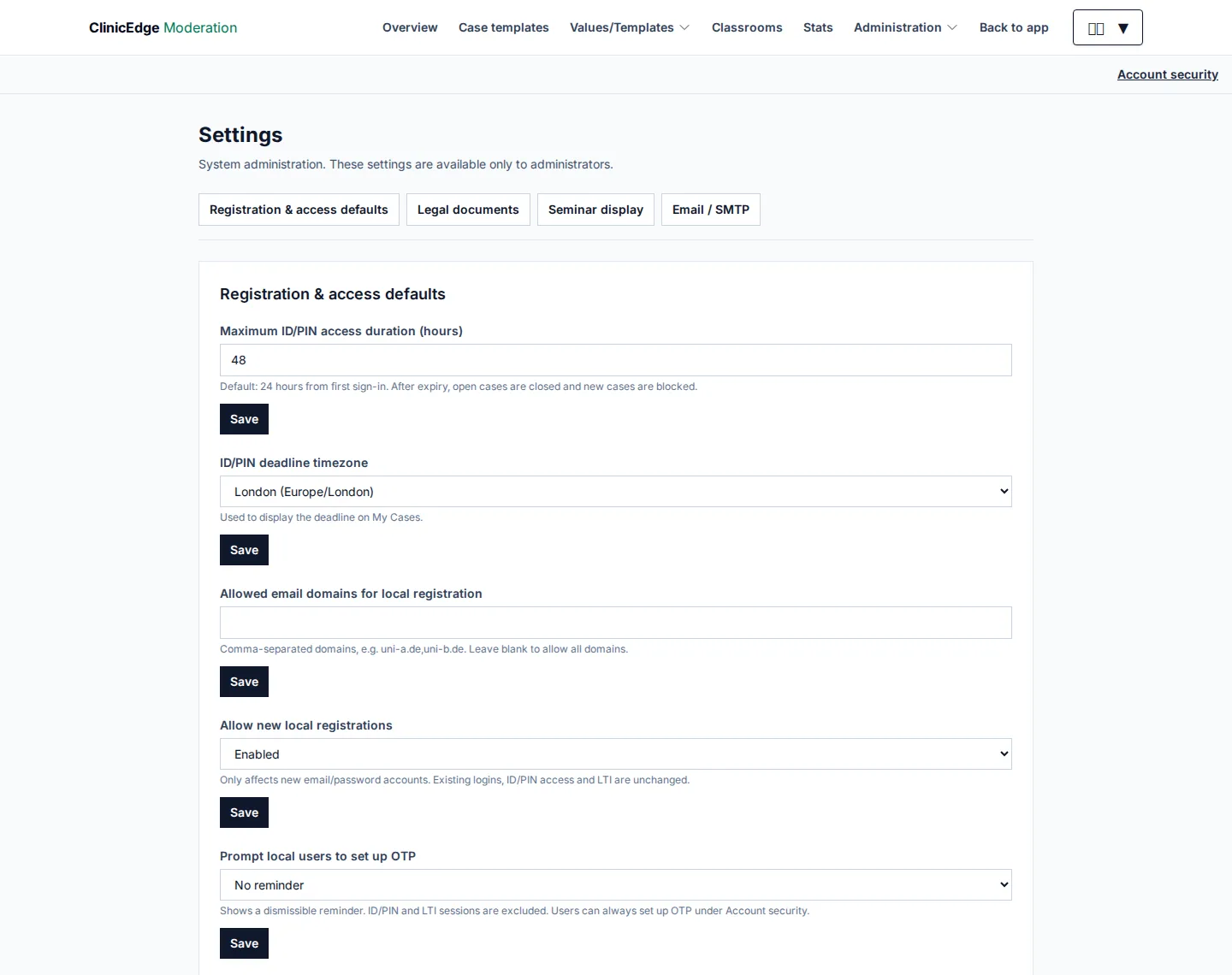
Synthetic installation, with a deliberately changed 48-hour example value. Use your institution's policy, not the screenshot value.
Legal seed files populate missing documents only. Updating the application does not overwrite published institution-specific legal text.